
Author: Matthieu


At the risk of looking like a complete idiot
Here’s a bit of DOS batch-file scripting.
@ECHO OFF
ECHO. FOR loop test
for /L %%N in (0,1,12) do call :test %%N
goto End

:test
echo %1

goto :eof
:End
Echo.Reached End
pause
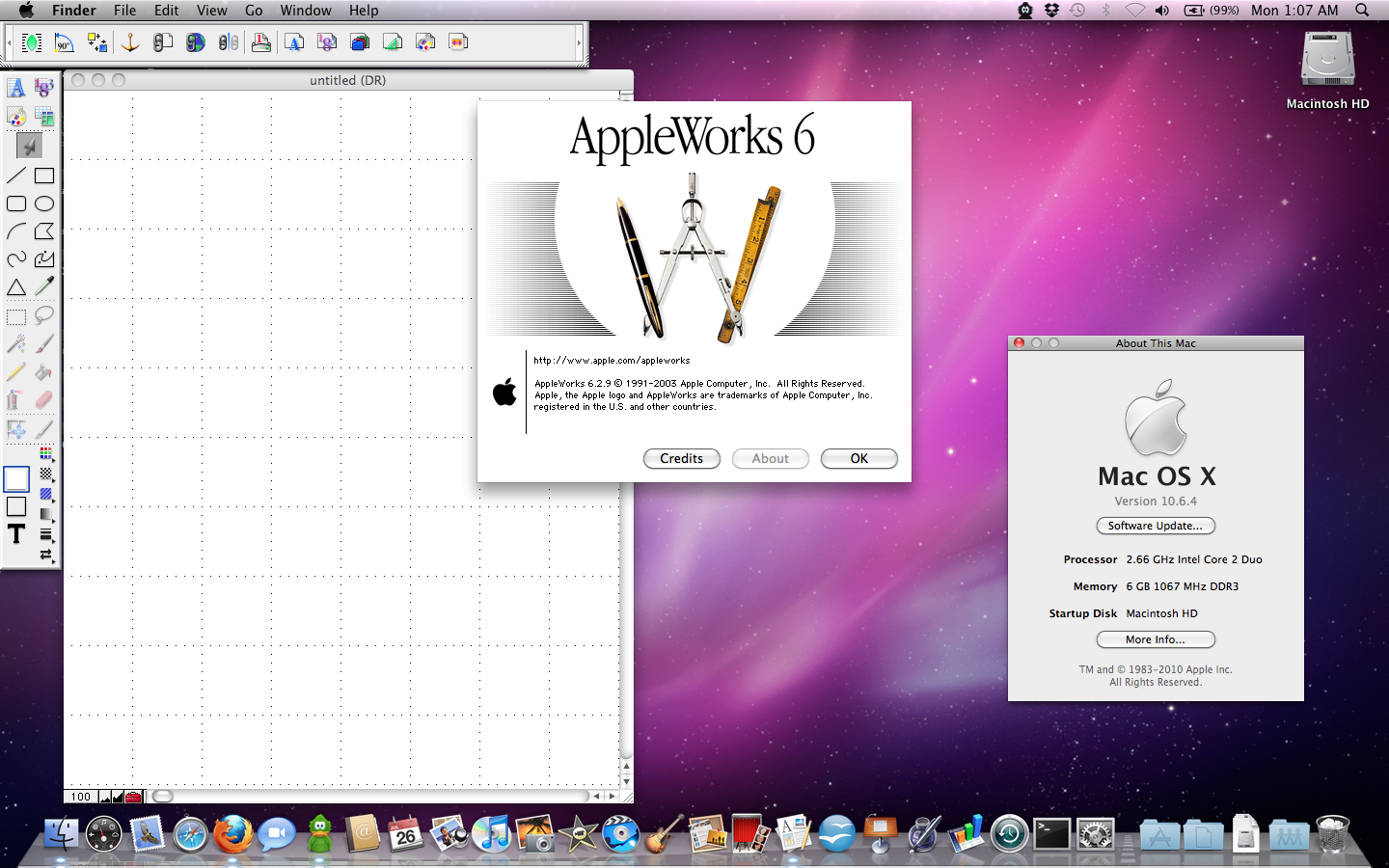
AppleWorks on Snow Leopard
I am happy to report that AppleWorks 6 for Mac OS X runs perfectly on Snow Leopard using Rosetta.
Just be sure to get the latest update from http://support.apple.com/downloads/AppleWorks_6_2_9_for_Mac
Also, if you have problems running the update (hang/freeze), try running it with all network connections disconnected.
DVD playback in XBMC on Ubuntu
To get DVD playback to work properly in XBMC on Ubuntu, disable nautilus’ automount feature
-> gconf-editor
apps->nautilus->preferences
Uncheck “media-automount”
http://www.pubbs.net/201002/opensuse/27474-opensuse-disable-automount-for-dvd-drive.html
Making a SOCKS proxy transparent
Finally, after about an hour of googling, I found a program that allows a SOCKS proxy to be made transparent. Installed on a router/gateway, this can force all LAN users’ traffic through the proxy.
http://darkk.net.ru/redsocks/
via http://wiki.przemoc.net/tips/linux#making_socks_proxy_transparent
HOWTO: Easily modify dependencies of a .deb file – Ubuntu Forums
#!/bin/bash

if [[ -z "$1" ]]; then
  echo "Syntax: $0 debfile"
  exit 1
fi

DEBFILE="$1"
TMPDIR=`mktemp -d /tmp/deb.XXXXXXXXXX` || exit 1
OUTPUT=`basename "$DEBFILE" .deb`.modfied.deb

if [[ -e "$OUTPUT" ]]; then
  echo "$OUTPUT exists."
  rm -r "$TMPDIR"
  exit 1
fi

dpkg-deb -x "$DEBFILE" "$TMPDIR"
dpkg-deb --control "$DEBFILE" "$TMPDIR"/DEBIAN

if [[ ! -e "$TMPDIR"/DEBIAN/control ]]; then
  echo DEBIAN/control not found.

  rm -r "$TMPDIR"
  exit 1
fi

CONTROL="$TMPDIR"/DEBIAN/control

MOD=`stat -c "%y" "$CONTROL"`
vi "$CONTROL"

if [[ "$MOD" == `stat -c "%y" "$CONTROL"` ]]; then
  echo Not modfied.
else
  echo Building new deb...
  dpkg -b "$TMPDIR" "$OUTPUT"
fi

rm -r "$TMPDIR"
via HOWTO: Easily modify dependencies of a .deb file – Ubuntu Forums.
Ralink 3090 driver : Markus Heberling
ppa:markus-tisoft/rt3090
via Ralink 3090 driver : Markus Heberling.
Driver for the cheap Ralink wireless in the Acer Aspire Revo.